
Since 2017, UKBAA's DealShare has given members of the UK Business Angels Association a way to pass investment opportunities between angel groups, syndicates and investors. In the last week of September 2026, DealShare moved onto Dealum.
DealShare helps UKBAA members bring additional investors into rounds already backed by their peers. Now powered by Dealum, it gives members one place to discover these opportunities, review company information and start a conversation with the founder or lead investor.
This guide shows how to find deals that fit your interests, mark your interest and take the next step, and how groups already on Dealum can share their deals with UKBAA.
DealShare is a private deal room for UKBAA and its members, and access comes through UKBAA membership. Everyone logs in with their own Dealum user account. Investors who already use Dealum through their angel group use the same login: DealShare appears as another deal room next to their group’s, and they switch between the two without swapping tools. Investors who are new to Dealum create a user account when they join.
Already a UKBAA member? Open UKBAA DealShare →
Start with your investment profile
When getting started, Dealum asks a short set of questions about what you invest in, such as the industries and technologies that interest you. It's worth five minutes, because DealShare brings together deals from many groups and the profile is what keeps that list relevant to you.
In the deal funnel, use the matching filters to narrow the opportunities you see, or browse the full list to explore more broadly.
You can adjust your filters as you go and update your profile when your investment focus changes.
One shared space for UKBAA and its members
Alongside shared investment opportunities, Dealum gives UKBAA a private space for its member community. On Dealum, this is called a deal room: an environment where an organisation and its members can review opportunities, exchange information and stay connected.
UKBAA’s dashboard is the starting point. It brings together:
- Association news: updates from UKBAA that members can react to and discuss.
- Member conversations: a forum for questions, shared insights and discussions across the community.
- Events: upcoming UKBAA events and registration.
- Shared resources: documents such as the DealShare user guide and member information.
- Activity notifications: updates that help members catch up on what has happened since their last visit.
For other angel nertworks and associations, this is a practical example of how Dealum can support both investment collaboration and everyday member engagement in one place.
Finding and reviewing deals
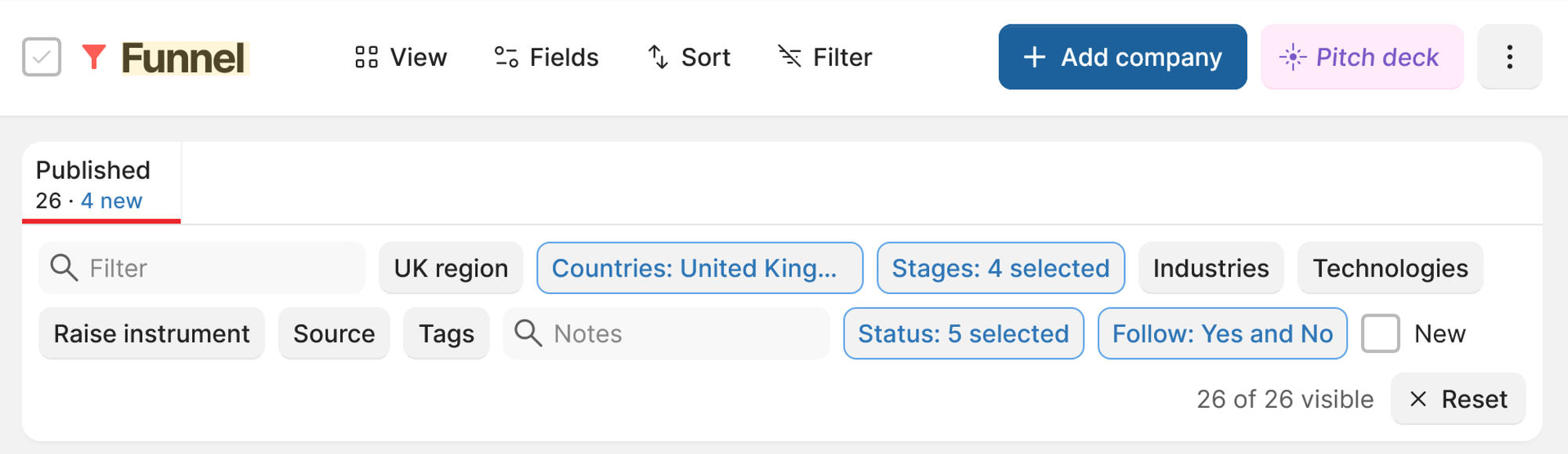
Deals shared to DealShare appear in the funnel, where you can filter, sort and switch to the match view.
Each company has a full profile: an overview and fact sheet, the pitch deck, media, answers to the application questions and documents, plus KPIs and financial updates where the company shares them. Follow a company to receive notifications about activity on its application.
Discussions sit on the deal too, in two separate threads: an internal one for UKBAA and its members, and one with the company itself. You can attach documents and tag people. If a conversation is happening by email, open the relevant discussion and choose “Get email address”. Send or forward the email to that address to bring it into the same thread on Dealum. Everything said about a company stays in one place.
Interested in a deal? Here’s what to do next
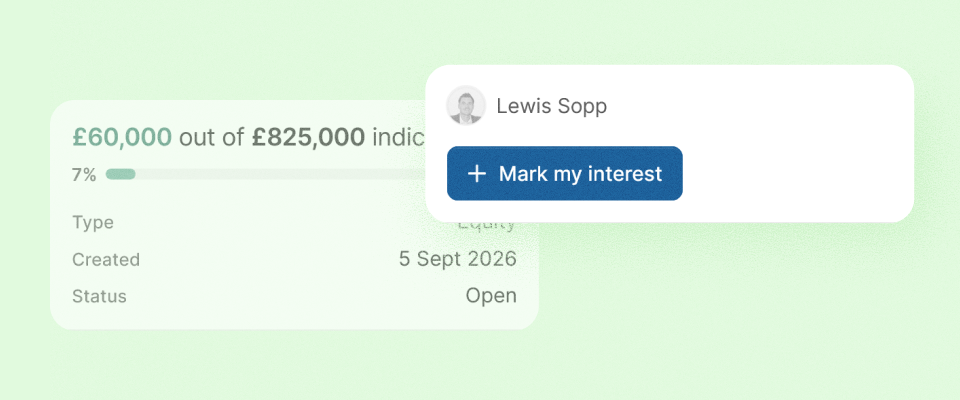
Open the company’s Funding tab to review the round and mark your interest. You can add an estimated investment amount if you have one. Your interest is recorded against the company and is visible to the deal flow administrators and round leads.
Marking interest does not commit you to investing. To move the conversation forward, use the discussion with the company or contact the round lead shown on the deal. Ask about the next steps, including how to participate, any minimum investment and the documents available for review.
Adding a deal to DealShare
To add a company you can enter the details manually or upload a pitch deck and let Dealum’s AI assistant pre-fill the application.
You can invite the founder during manual entry or later. If you start with a pitch deck upload, send the invitation after the application has been created. Involving the founder early helps keep the information current and gives investors a direct way to ask questions.
Already on Dealum? Share from your own deal room
If your group already manages its deal flow on Dealum, you can share an existing deal with UKBAA without re-entering the company information. Open the deal, choose Share and select UKBAA as the destination.
UKBAA also uses Dealum’s Network. If your organisation has its own deal room, you can connect it with UKBAA to share and source opportunities across the community.
Questions from the launch webinar
Can a lead angel represent the founder on DealShare?
Yes. Either add a note on the deal that the lead angel handles enquiries, or, with the founder's approval, the founder adds you to the company's team on Dealum so you can manage communication for them.
Does the founder have to upload the deal?
No. A lead angel with the relevant permissions can add the company or upload its pitch deck, then invite the founder. Involving the founder early makes it easier to keep the information up to date and answer investors’ questions directly.
Can the information be updated during the round?
Yes. A company has one profile on Dealum, from its first application through to portfolio reporting, and you can request an update from the company on the deal page. Administrators can also lock an application to preserve the information as it stood at a particular point in the review process.
What happens when the same company raises again?
Each new round is a new application under the same company. You can see every round together and who took part in each one.
Useful tools for DealShare members
A few more Dealum features for DealShare members, and for groups that run their own deal room on Dealum.
Founder hub. A news feed and information centre for the startups in your funnel. Share updates and documents with applicants, and give them a forum to talk to your organisation and to each other. You choose which funnel stages get access. Read more
Ask the AI assistant. All UKBAA DealShare members can use the AI assistant to ask questions about the deal room information they can access. It can also use company documents and web search to provide additional context.
See your interest clearly. The Funding tab now shows your own interest separately from other members’ interests, making it easier to see your position in a round.
Choose how you receive event invitations. If you sync Dealum events with your personal calendar, you can choose whether to receive email invitations as well.
And we have more coming!
UKBAA Summit
Meet us in London
We’ll be at the UKBAA Early-Stage Investment Summit in Canary Wharf, London, on 23 November. Come and meet us to explore DealShare and see how it can work alongside your organisation’s own deal room.
Bring your investment network together on Dealum
Manage deal flow, engage your members and connect with other investor groups, all in your organisation’s own deal room.